Two People Editing the Same Line: Realtime Collaborative Editing for Vibe Projects
Two people editing the same line is a consistency problem, not a realtime problem — naive WebSocket JSON broadcast dies at three users. Scoped against the site's realtime-features and offline-sync guides, then deep: OT vs CRDT with a decision table (conclusion first: solo teams pick Yjs), the Y.Doc/Awareness/Provider trio (30-line client, 40-line authenticated server), room-level ACL plus snapshot backstops, production pitfalls, and a 5-item launch checklist.
Scoping first, so this isn't confused with two related guides on the site. ① vibe-project-realtime-features-guide (realtime features) is about "server → client one-way push": tickers, notifications, online status — data flows one direction, clients never interfere with each other; this guide is about "multiple writers editing the same document at once": A and B change the same line in the same second, and the system must converge both screens to the same content — different direction, see https://vibefix.work/en/explore/vibe-project-realtime-features-guide. ② vibe-project-offline-sync-guide (offline sync) is about "single-user offline sync": one person writes on the subway, merges local changes to the cloud when back online — conflicts happen only between "me" and "the cloud"; this guide is about "conflict resolution for multi-user concurrent editing online": conflicts happen between people, in real time — different subject, see https://vibefix.work/en/explore/vibe-project-offline-sync-guide.
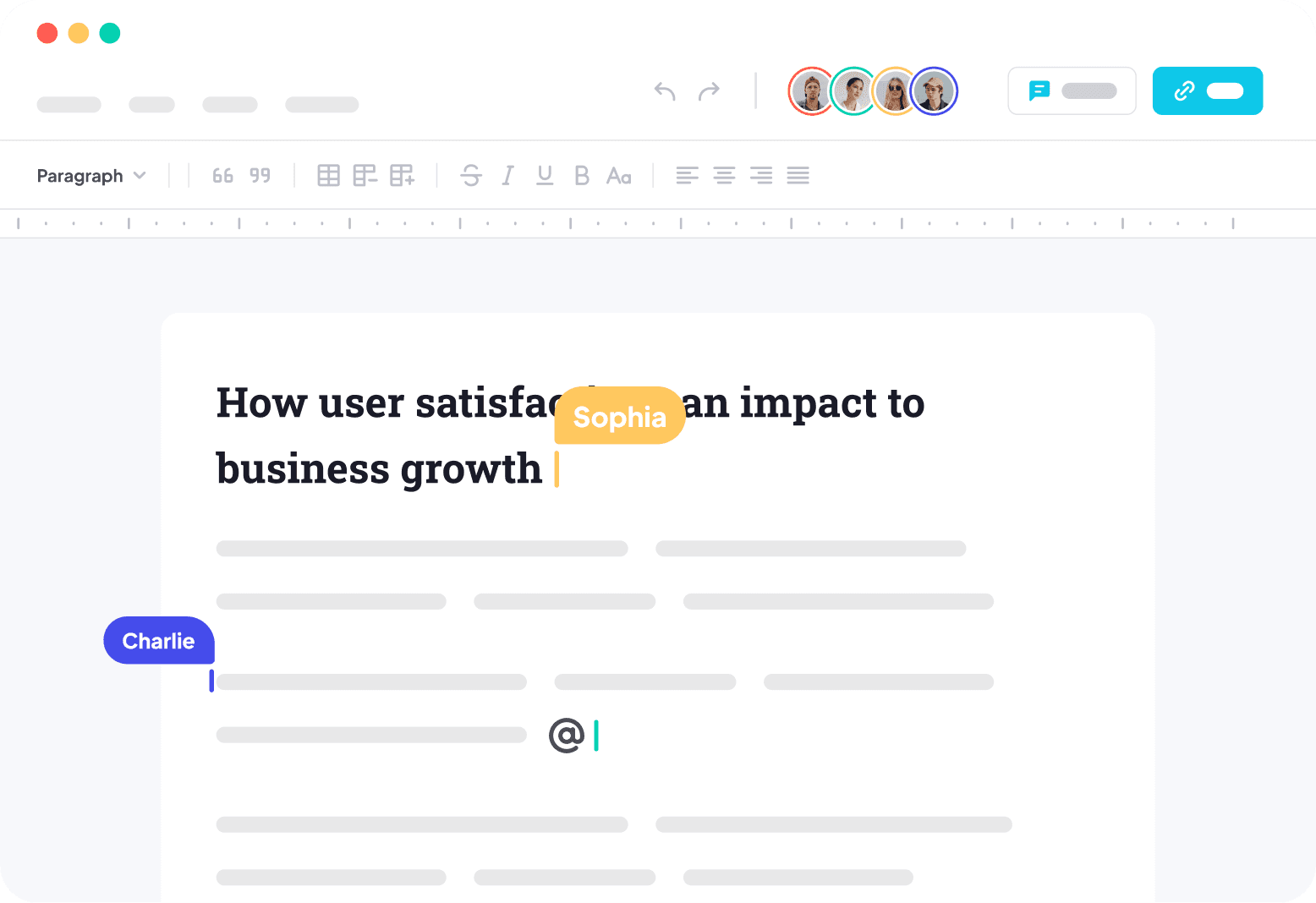
The scenario is concrete: you add a "team docs" feature to your vibe project, and two users open the same document. A types at the start of line one while B deletes at its end; 0.3 seconds later the two screens disagree — on A's screen B's words vanished, on B's screen A's words jumped somewhere strange. Refresh, and they disagree differently. That's the daily reality of collaborative editing: it's not a "realtime" problem, it's a "consistency" problem. Data arrives in realtime, but the two sides compute different results from it. This guide is about turning "computing the same result" from black magic into engineering.
1. The real problem: why "broadcast JSON over WebSocket" dies at three users
The AI's first draft for collaborative editing is always this:
// Anti-pattern: naive broadcast. Every keystroke from A becomes JSON for everyone
editor.on('change', (op) => {
  ws.send(JSON.stringify({ type: 'insert', pos: op.index, text: op.text }));
});
ws.onmessage = (msg) => {
  const op = JSON.parse(msg.data);
  editor.apply(op); // applied directly by position
};
Two users, perfect network, never typing simultaneously — this runs. Three real-world scenarios kill it in order:
Scenario 1: editing the same line at once. Document is hello; A inserts X at position 0, B inserts Y at position 5; the two operations "pass each other" on the wire. A applies its own X first (document becomes Xhello), then receives B's "insert Y at position 5" — position 5 now points after the o, producing XhellYo; B symmetrically computes XhelloY. Both "applied by position", both got different results, and neither side knows it's wrong. This is why operations need transforming: when B's operation reaches A, it was authored against the old document — its position must be reinterpreted in light of "what A already changed". Naive broadcast skips that step.
Scenario 2: cursors fighting. Even if the text converges (say via the crude "last writer wins"), cursor positions still disagree: A is typing on line 3, B inserts 10 lines at line 1, and A's cursor stays "on line 3" — visually jumping into the middle of B's fresh content. In collaborative editing, cursors and selections are first-class citizens alongside text: they need realtime sync too, and they must shift as the text changes. A product that syncs text but not cursors becomes annoying within three minutes.
Scenario 3: reconnects losing operations. A enters a tunnel, offline for 30 seconds, writes 200 words; meanwhile B deletes the paragraph A was writing in. On reconnect, the system must answer: do A's 200 words get re-inserted, dropped, or turned into a comment? Naive broadcast's answer is "splice in by arrival order", which usually produces garbled merges. The real answer: offline operations must be fully preserved and participate in a "merge", not an "overwrite" — which requires a data structure where late-arriving operations still merge correctly.
All three point at one root cause: collaborative editing needs not a faster pipe but a mergeable data structure. The pipe (WebSocket) solves delivery; merging needs math. That's where OT and CRDT come in.
2. OT vs CRDT: conclusion first — solo teams pick CRDT/Yjs directly
Two one-sentence explanations; details in the comparison diagram:
- OT (Operational Transformation): every operation goes to a central server first, which queues them by arrival order; late operations get transformed ("reinterpreted" — position and content adjusted) against what arrived earlier, then broadcast. Google Docs (early days), Etherpad, ShareDB took this road. Consistency comes from server-side ordering — the server is the single source of truth.
- CRDT (Conflict-free Replicated Data Type): no operation queue; instead, change the data structure: every character carries a globally unique ID (who, when, inserted after whom), and merging two replicas = taking the union of the character sets. Mathematically guaranteed: no matter what order updates arrive in, all replicas converge to the same result. Yjs and Automerge represent this road.
/media/content-media/a56f3ccd-38fe-490f-a5d3-6edb6bc228d5/2026/10/47efffcf-1779-4d1e-8492-314362a223f9.png
The decision table (for decisions, not dissertations):
- Server complexity: OT requires building your own ordering + transformation logic — database-building-grade work; a CRDT server only relays messages (Yjs's y-websocket server doesn't parse document content), an order of magnitude simpler.
- Offline support: OT's offline story is hard mode — queued operations must be re-ordered and re-transformed on reconnect, and transform functions must handle "the document version this operation targeted no longer exists"; CRDTs support offline natively: write locally first, send updates on reconnect, math guarantees correct merging.
- Scalability: OT's central server is the bottleneck and the single point of failure; CRDT servers are stateless and horizontally scalable (the Yjs docs explicitly describe scaling across servers via Redis PubSub).
- Ecosystem: Yjs ships ready-made editor bindings for ProseMirror / Tiptap / Monaco / CodeMirror, each listed in the Yjs docs' editor-support section; with OT you mostly wire things yourself.
So the conclusion, no hedging: solo teams building collaborative editing should pick CRDT — specifically Yjs. OT's only real advantage is "you need strong control over operation content" (e.g. financial-grade audit ordering); vibe projects basically never hit that. Picking Yjs isn't about fashion — it's about letting it encapsulate the hardest part (mathematically correct merging) while you do the messiest part (auth, persistence, product logic) — which is precisely what AI assistants are relatively good at.
3. Yjs in practice: the Doc / Awareness / Provider trio
Yjs's architecture is three orthogonal concepts, each owning its lane (see diagram). Build this mental model first and the code won't confuse you:
/media/content-media/a56f3ccd-38fe-490f-a5d3-6edb6bc228d5/2026/10/88b0dbac-b282-4fe8-9347-6f41f18aa552.png
- Doc: one complete local replica of the document — the CRDT data structure itself. All reads and writes happen against the local Doc: write locally first, broadcast second — the core of "local-first", and the foundation of offline writability.
- Provider: the transport layer, shipping the local Doc's "updates" (a binary delta) to others and fetching theirs. Swap WebSocket for WebRTC or your own protocol by swapping the Provider; the Doc layer doesn't move. In the Yjs docs' own words: it makes no assumptions about the network — as long as updates eventually arrive, documents sync, and the order updates are applied in doesn't matter.
- Awareness: the ephemeral-state channel: "who's online, where's their cursor, what's selected". Note ephemeral: never persisted, gone on disconnect — don't stuff business data in it.
Client: your first collaborative room in 30 lines
import * as Y from 'yjs';
import { WebsocketProvider } from 'y-websocket';
import { IndexeddbPersistence } from 'y-indexeddb';

// 1. Doc: the local replica. Everyone gets one; everyone writes without blocking
const ydoc = new Y.Doc();
const ytext = ydoc.getText('content'); // shared text type; getMap/getArray also exist

// 2. Local persistence first: IndexedDB — writable offline, survives refresh
//    (per-document isolation: the room name is the key; docs never leak into each other)
const persistence = new IndexeddbPersistence('doc-123', ydoc);

// 3. Provider: join the room; updates sync both ways automatically.
//    APIs below are all from the official y-websocket docs
const provider = new WebsocketProvider('wss://yourapp.com/collab', 'doc-123', ydoc, {
  params: { token: 'user-jwt-here' }, // auth: see section 4 — URL param or cookie
});
provider.on('status', (e) => console.log(e.status)); // 'connected' | 'disconnected'
provider.on('sync', (isSynced) => {
  if (isSynced) console.log('synced with server — safe to start editing');
});

// 4. Presence: my cursor/name, broadcast to everyone in the room
provider.awareness.setLocalStateField('user', {
  name: 'lee', color: '#4f46e5', cursor: { anchor: 12, head: 18 },
});
// Listen to others: awareness.getStates() returns Map<clientId, state>
provider.awareness.on('change', () => renderCursors(provider.awareness.getStates()));

// 5. Editor binding (pick one for your editor):
//    Tiptap:  @tiptap/extension-collaboration + CollaborationCursor
//    CodeMirror: y-codemirror.next
//    These only translate "editor actions" into "ytext operations" —
//    merging still lives 100% inside Yjs
Note the positioning of point 5: an editor binding is a "translation layer", not a "merge layer". People worry "is Tiptap's collaboration a second system from Yjs's?" — no: the translation layer only turns keystrokes into ytext.insert/delete; conflict resolution lives entirely in Yjs's CRDT layer. Which means switching editors never changes merge semantics — the most valuable property of the Yjs ecosystem.
Server: a minimal 40-line implementation — "relay + auth" is all it is
y-websocket ships a runnable server (npx y-websocket, PORT env defaulting to 1234, per its docs), but in production you'll almost certainly wrap your own — for exactly one reason: authentication. The default server doesn't authenticate; anyone can connect to any room name and read/write. Below is the minimal self-hosted server (Node, following the custom-server pattern from the y-websocket README; setupWSConnection is that package's standard export):
import http from 'node:http';
import { WebSocketServer } from 'ws';
import { setupWSConnection } from 'y-websocket/bin/utils.js';
import jwt from 'jsonwebtoken';

const server = http.createServer();
const wss = new WebSocketServer({ noServer: true });

// Auth happens at "upgrade" time: bad token → the connection never gets built
server.on('upgrade', (req, socket, head) => {
  const token = new URL(req.url, 'http://x').searchParams.get('token');
  const room = req.url.split('/')[1]; // convention: /doc-123?token=xxx
  try {
    const user = jwt.verify(token, process.env.JWT_SECRET);
    if (!canAccess(user.id, room)) { // document-level ACL: check your business DB
      socket.write('HTTP/1.1 403 Forbidden\r\n\r\n');
      return socket.destroy();
    }
    req.user = user; req.room = room;
    wss.handleUpgrade(req, socket, head, (ws) => wss.emit('connection', ws, req));
  } catch {
    socket.write('HTTP/1.1 401 Unauthorized\r\n\r\n');
    socket.destroy();
  }
});

// Past auth, the rest is pure relay: the server neither parses, orders, nor stores
// (storage: see section 5)
wss.on('connection', (ws, req) => setupWSConnection(ws, req, { docName: req.room }));
server.listen(1234);
This code embodies the Yjs server philosophy: authenticate at the connection layer, relay at the transport layer. The server doesn't understand document content (updates are binary, forwarded verbatim), so "operation-level auth" (e.g. "read-only users can't write") can't live in the Yjs layer — section 4 covers where the real line of defense is.
4. Permissions and isolation: who can see, who can write
Collaborative editing's permission model differs from plain CRUD: a normal API is "request → authorize → execute", one auth check per request; collaboration is "connect once, stream thousands of operations" — you can't call an auth API per keystroke. So permissions split into two levels, each minding its own business:
Level 1: room-level (at connect time). Exactly what section 3's server code does: before a user joins /doc-123, check the business database for "what role does this user have on doc-123" (owner / editor / viewer / none). No role → 403, never connects. This is the most important line of defense, blocking 99% of privilege escalation.
Level 2: role → capability mapping (client + server snapshot verification). Viewers may connect but only receive, never send — implemented by never creating a writable binding for viewers (editor in readonly mode produces no local updates); plus the server's periodic Doc-snapshot persistence runs an "authoritative verification" (see section 5): if a viewer's tampered client force-sends updates, snapshot verification notices "this role shouldn't produce writes", raises the alarm, and rolls back. Be honest about the boundary here: the Yjs transport layer does no operation-level authorization — updates are binary and the relaying server doesn't parse them; that's by design, not a vulnerability. Anyone expecting "the server inspects every operation for legality" is applying OT's centralized mindset to CRDT.
Defending against malicious clients: design for capability, not trust
Bluntly: every client is untrusted. The JS in a browser is the user's to modify; forging a "delete everything" update is technically trivial. Three layers of defense:
- Room isolation: room names are unguessable IDs (UUIDs), not auto-increment integers. If attackers can't guess the room name, forged operations have nowhere to go. Cheapest layer there is; most often skipped.
- Snapshot authoritative verification: the server periodically (say every 30 seconds or every 100 updates) persists a full Doc snapshot via
Y.encodeStateAsUpdate(ydoc), running business-rule checks before writing ("a viewer-role client shouldn't produce writes", "single update must not exceed X bytes"). On anomaly: alert + restore from the last clean snapshot + kick the offending connection. The y-websocket docs explicitly mention server-side persistence (LevelDB) and HTTP callbacks — persistence and verification hang off those two hooks. - Operation audit: updates carry client IDs; the relaying server logs "which connection sent how many updates". Being able to identify the actor after an incident is itself a deterrent. For a solo team, "identifiable" is enough; "realtime interception" is a later problem.
One-sentence summary of the permission model: verify identity at connect time (room level), rely on snapshots as the backstop (post-hoc verification); don't expect the transport layer to audit each operation. This model feels different from "API auth" intuition, but it's the only self-consistent approach under CRDT's decentralized architecture.
5. Production pitfalls: large docs, history, billing
Pitfall 1: large-document performance
Yjs updates are an append-only log: every edit appends a record, never deleted (deletion in CRDT is "tombstoned" — the tombstone must stay, or late concurrent operations lose their anchor). A document edited by 20 people for three months can bloat to tens of MB of update logs — a new joiner downloads the full log and replays it; first paint freezes. Two fixes:
- Snapshots: the server periodically compacts the Doc into a full snapshot via
Y.encodeStateAsUpdate(ydoc); new clients fetch the snapshot (one shot), then incrementally sync only post-snapshot updates. A snapshot is "compacted log", an order of magnitude smaller. This is the officially recommended standard practice, not a hack. - Sharding: split Docs by chapter (one Y.Doc / one room per chapter), not one Doc per book. The smaller the collaboration unit, the shorter each Doc's log, the faster the load. Notion's "blocks" and Google Docs' pagination embody the same idea: collaboration units should align with human mental units, not with "files".
Pitfall 2: history vs undo semantics
"View history" and "undo" are two different features — don't conflate them. History = a time series of snapshots (server stores a full snapshot every N minutes; users click through them); simple to build. Undo = "revert only my operations without disturbing what others wrote concurrently" — subtle under collaboration: A deletes a paragraph, B annotates inside it, A hits Ctrl+Z — what happens to B's annotation? Yjs's standard answer: Y.UndoManager (shipped with the yjs package), which groups by operation owner and rolls back only the current user's operations; others' concurrent writes are untouched. Use it directly; never hand-roll an undo stack — a hand-rolled undo that's correct single-user is 100% buggy under collaboration, because "undo" is itself an operation that needs merging.
Pitfall 3: server-side authoritative verification (anti-cheat persistence)
Expanding section 4's sketch into engineering practice: the server keeps a "shadow Doc" per room (receives updates, serves nobody), and on a timer does three things — ① persist snapshots to object storage / database (authoritative backup; full client data loss is recoverable); ② run business-rule verification (roles, sizes, rates); ③ generate history versions. Shadow Docs cost real memory: 10k active rooms = 10k Docs resident — so GC idle rooms promptly (y-websocket's utils reference-count Docs; release after a connection-idle timeout; don't leak memory).
Pitfall 4: billing by "collaborator seat"
The industry-standard billing model for collaborative editing is per-seat: a document's tier follows how many people may edit concurrently (or monthly active collaborators), regardless of viewers. Technically, "online collaborators" is one read away — provider.awareness.getStates().size is the room's live headcount, a natural billing metric. But mind awareness's ephemeral nature: bill on "deduplicated monthly active users", not "instantaneous peak", or users pay triple for "I opened three tabs" — dedupe tabs with BroadcastChannel (the y-websocket docs explicitly note cross-tab communication support: multiple tabs in one browser share a single real connection); never double-bill.
6. Launch checklist: 5 acceptance tests, ship only when all pass
Collaborative editing bugs have a vicious trait: when they strike, the two sides silently diverge — nobody gets an error. No crash, no 500; A and B's screens just quietly fork. So acceptance must "actively manufacture fork conditions", not "click around and see no errors":
- ✓ Concurrency stress: open 5 clients (headless browsers suffice); in the same second, insert 20 characters at 5 different positions of the same line on each; compare the final text hash across all 5 — must be identical. Hash mismatch = merge bug; the sky is falling.
- ✓ Reconnect: A goes offline 30s and writes 50 words; B deletes the paragraph A was writing in during those 30s. After reconnect: none of A's 50 words lost (position may shift, content must not), B's deletion holds. Lost words = broken local-Doc or IndexedDB path.
- ✓ Negative permission tests: a viewer token attempting the edit room → must 403; after joining a readonly room, force
ytext.insertfrom the console to forge a write → server snapshot verification must alarm (or at minimum: other clients receive it, but a page refresh gets corrected by the snapshot). "Client-side readonly" is UI only; the real line is server-side. - ✓ Undo consistency: A writes a paragraph, B annotates inside it, A hits Ctrl+Z: A's paragraph disappears, B's annotation survives (may move, must not vanish). Annotation swept away = UndoManager misconfigured; throw away the hand-rolled undo stack.
- ✓ Performance baselines: a 100k-character document (with 3 months of update logs): new client from room-join to editable, record P95 (target <2s, via snapshots); single-keystroke to remote-render latency on LAN vs 4G (target <300ms). Baselines are a letter to yourself in three months — when the doc is bigger, compare and you'll know when to shard.
One-sentence summary: collaborative editing = CRDT solves "correct merging" (pick Yjs; don't hand-roll OT), the Provider solves "delivery", Awareness solves "who's where", and the server solves "auth and backstops". Four jobs, each in its place; don't expect one layer to do it all. Related reading: realtime features: server-to-client one-way push (data flows one direction); offline sync: single-user local-first (conflicts only between "me" and "the cloud") — one-way push, single-user offline, multi-user concurrent: three guides, three kinds of realtime, no overlap.
Comments (0)
Related articles
AI-generated tables are written for demo-sized data: full fetches that freeze the page, fake pagination, frontend sorting that silently misorders. This guide covers the interaction engineering of one table — offset vs. cursor pagination, sort whitelists, URL-synced filters, column preferences in JSONB, cross-page bulk selection, virtual scrolling test methods, and a 12-item launch checklist.
On October 15, GitHub gave Copilot in Slack and Teams multi-repo support: one conversation now sweeps open PRs, weekly merges, and issues across all your repositories. @GitHub works anywhere in a message, shared threads become context — while cloud agent code changes stay locked to one repo, one branch, one PR.
AI-built dark mode fails three predictable ways: hardcoded colors, white flashes on toggle, system preference fighting explicit choice. The fix: semantic CSS variables as the single source of truth, Tailwind v4 @custom-variant wiring, a system/light/dark state machine, an inline <head> script killing SSR first-paint flash (Next.js specifics, quantified acceptance), plus images, canvas charts, iframe embeds, WCAG AA contrast sampling — and a 5-step migration SOP with an AI rewrite prompt.