Project Directory

Browse all indie developer projects and co-creation requests

Active: Security & Privacy
Showcase
Online
Security & Privacy

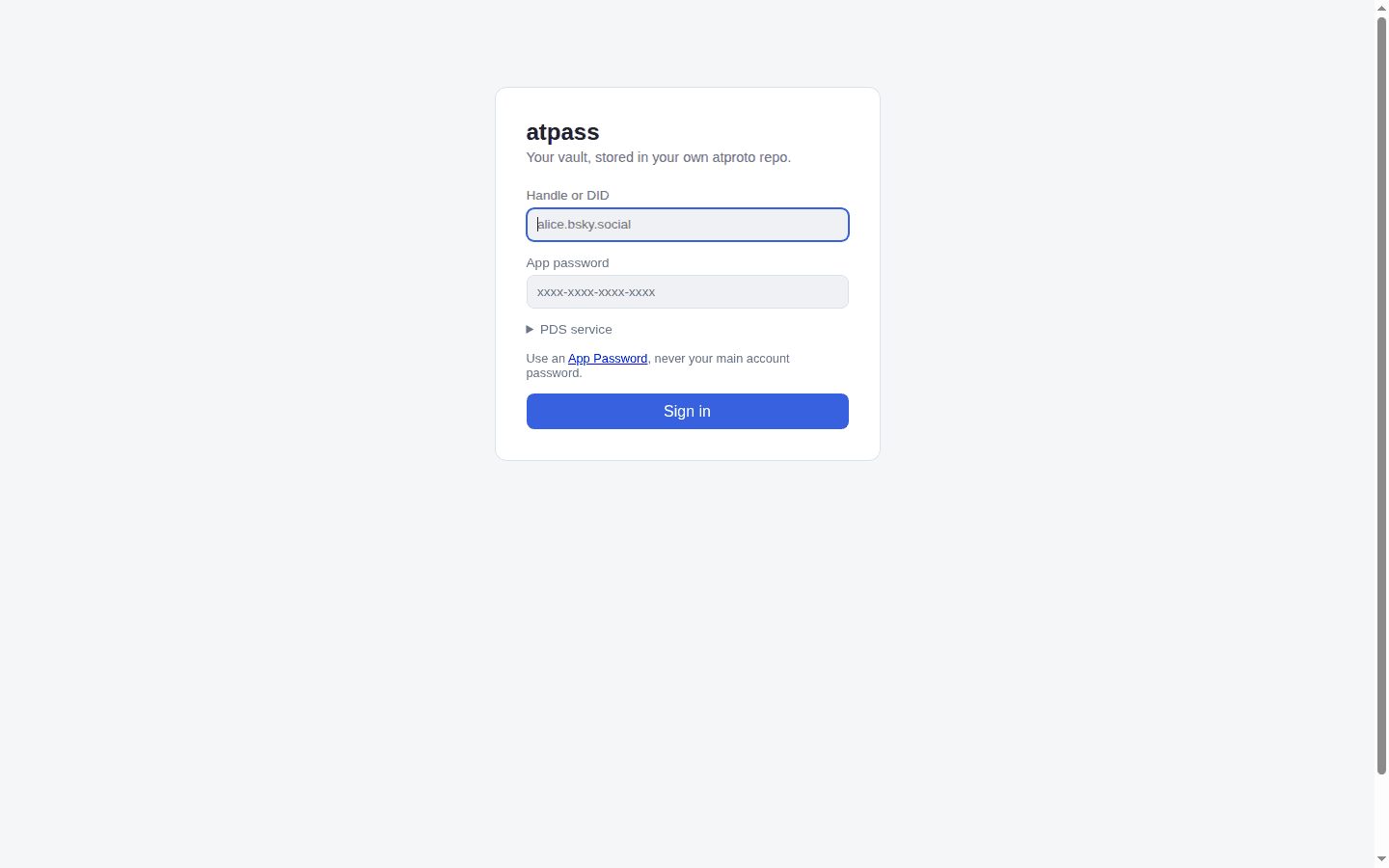
atpass

A password manager that keeps your vault as end-to-end encrypted records in your own atproto (Bluesky) PDS repo — no proprietary server.

atpass is a password manager with an unusual home for your vault: instead of a proprietary server, it stores every vault item as an end-to-end encrypted record in your own atproto (Bluesky) PDS repo. Your PDS operator — and anyone who can read your public repo — sees only ciphertext: how many items you have and roughly when they changed, never titles, usernames, passwords, URLs, or notes. The master password never leaves your machine; it is run through Argon2id to derive a 256-bit key that encrypts each item with AES-256-GCM, with the record key bound in as additional authenticated data so records can't be swapped between items. It ships as three clients sharing one crypto core: a commander-based CLI, a client-only static web app (Vite + React) that talks directly to your PDS from the browser with the vault key living only in that tab's memory, and a Firefox Manifest V3 extension that autofills vault items into login forms — the derived key stays in the background script's memory and never passes through the popup. The Node and browser crypto adapters (node:crypto with @node-rs/argon2 versus Web Crypto with hash-wasm) are verified byte-for-byte interoperable, so a vault item added from the CLI decrypts correctly in the web app and vice versa. Formal record schemas live in lexicons/ as xyz.atpass.vault.meta and xyz.atpass.vault.item. The author's own framing is the whole pitch and the whole warning, verbatim: "Vibe-coded AF" — and "This is a testbed for vibe-coding and atproto. This is not something you should trust real passwords with." The README's security-model section is admirably blunt about the threat model: a malicious PDS operator learns nothing about contents, but a weak master password or a compromised local machine is not covered, the handle-plus-App-Password login means the PDS momentarily sees your App Password at sign-in (full OAuth is not implemented yet), and the project has not been independently audited. Recent commits show the author hardening it anyway — randomized 128-bit record keys so item titles can't be fingerprinted, and CLI session tokens encrypted at rest. It is early — 27 commits, one v0.1.0 release, pushed two days ago — and reads as a working proof-of-concept rather than a Bitwarden replacement. As an experiment in what password management looks like when the "server" is infrastructure you already own, it is one of the more interesting uses of atproto to show up this month.
Showcase
Online
Security & Privacyclaude-code

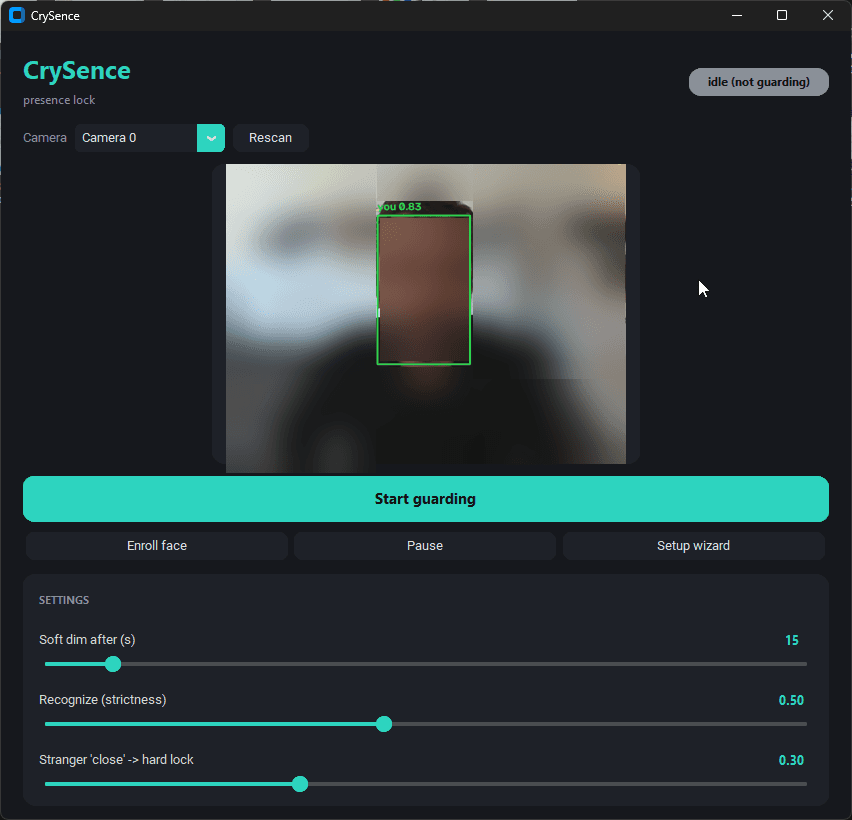
CrySence: face-aware webcam presence lock

A webcam presence lock for Windows that knows you from everyone else — soft dim when you leave, no-password return, hard lock on strangers.

What it isCrySence is a webcam presence lock for Windows that knows you from everyone else. Walk away from your desk and a soft cover drops over the screen; sit back down and it recognizes your face and lifts itself — no password. If a stranger leans close to your screen, it hard-locks Windows, photographs the intruder, and alerts you. And it gets out of the way for video calls: when Teams, Zoom, or a browser call grabs your mic or camera, CrySence pauses and resumes afterwards. 100% local, auditableEverything runs on your machine — face detection (OpenCV YuNet), face recognition (SFace, local ONNX models), and intruder captures never leave your PC. No telemetry, no account, no network calls except the update check to GitHub and the alert channels you configure yourself (Windows toast always on, plus optional ntfy / SMTP / Telegram / Resend). Your face is stored only as a numeric embedding, never as images, and the author invites you to read the ~1,000 lines yourself before trusting the binary. vibe-coded, openlyThe author's own launch copy says it plainly: "I vibe-coded a webcam presence lock that knows me from everyone else" and "So I built one that locks based on whether you're actually there, with Claude Code over a few evenings. ~1,000 lines of Python, open source." Eleven releases through v0.3.7 (2026-09-25) show it wasn't a one-evening throwaway — the changelog reads like a real hardening story: memory leaks in camera drivers, emergency unlock via Ctrl+Alt+Shift+U, hourly update checks. Honest limitationsThe author puts the caveats up front, which we appreciate: the soft cover is privacy not security (Task Manager can kill it — the hard Windows lock is the real lock); no liveness detection yet (a good printed photo could pass 2D recognition); Windows only. Under the hoodTech stack per the author: Python (~1,000 lines), OpenCV YuNet + SFace for detection/recognition, CustomTkinter GUI with a first-run setup wizard, strictness sliders, camera picker and live preview. MIT licensed; run from source or grab the per-user installer from GitHub Releases (unsigned, so SmartScreen will warn — or run from source, which the author recommends). Who it's forAnyone who works in open offices, coworking spaces, or cafes; privacy-minded folks who like local-first software; and a great demo that vibe coding can produce real, working security tooling — with its limitations honestly disclosed.

Showcase
Online
Security & Privacyclaude-codecodex

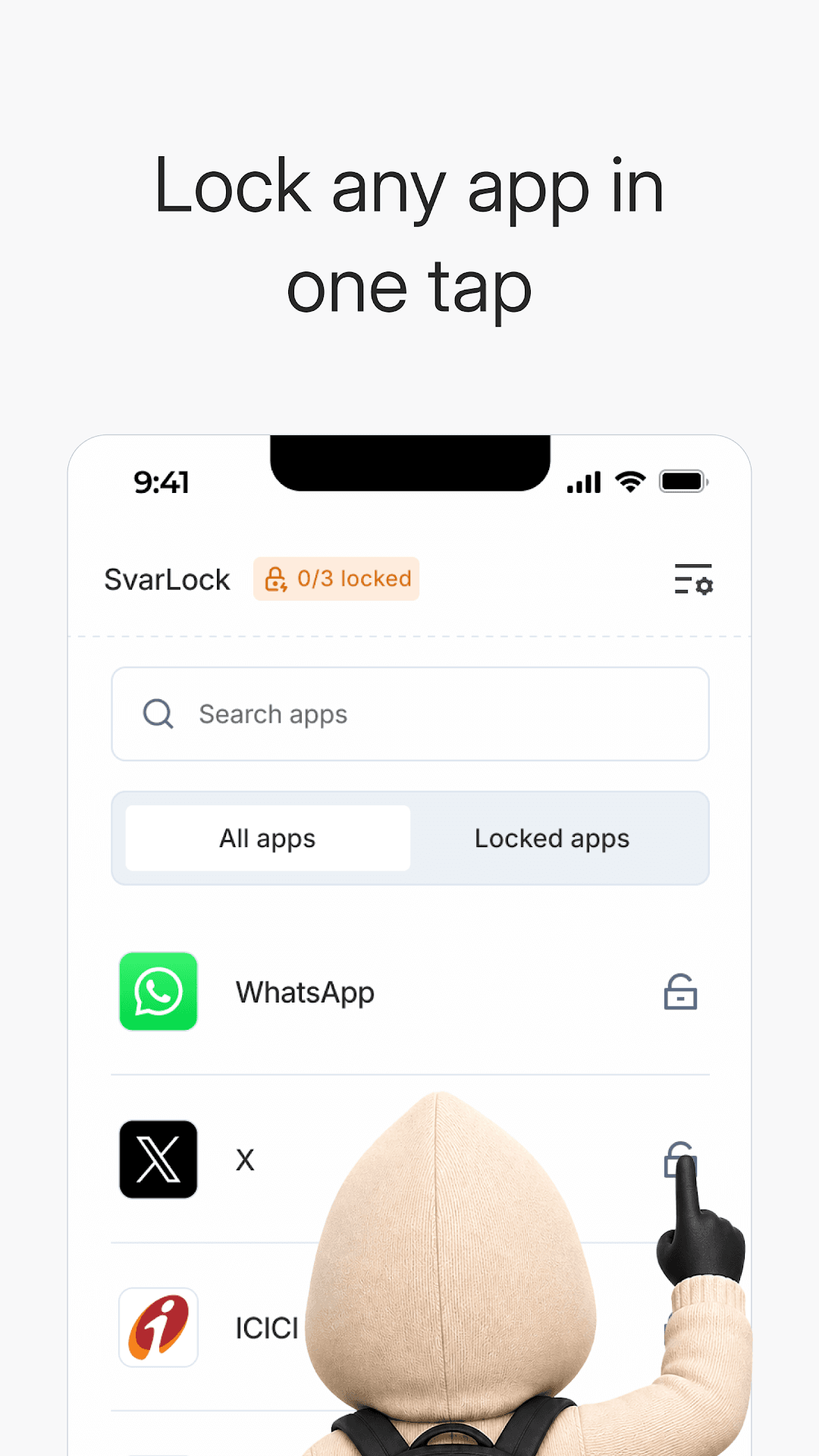
SvarLock: App Lock & Privacy

A free, open-source Android app lock: PIN or fingerprint protection for chats, photos, and payment apps — no ads, no accounts, no tracking.

SvarLock is an app lock for Android that does exactly what it says: it locks your apps. Pick any app — WhatsApp, your banking app, your photos — and SvarLock gates it behind a PIN or your fingerprint, with a clean lock screen that asks for the code before anything opens. A search bar and a Locked apps tab keep the list manageable, and the settings cover the details you'd want: change PIN, fingerprint or face unlock with PIN as backup, and a PIN requirement for uninstalls so someone can't just remove the lock to get in. What sets it apart from the genre is what's missing: no ads, no account, no tracking. The app's design is literally offline by design — it requests no internet permission at all, so your PIN and your locked-app list never leave the device. It's free, it's open source, and the mascot (a hooded little privacy gremlin) tells you exactly what it stands for. The build story is the headline. Developer Pradeep Prakash wrote a Medium piece titled "How I vibe-coded an Android app without settling for AI slop," where he states: "I didn't write the application code. Claude Code handled development, and I sometimes used Codex to debug." The stack is Android with Jetpack Compose, with the design system generated through Style Dictionary and Figma Console MCP. It launched on Google Play on September 6, 2026 and was updated to v1.3.3 on September 20 — a real, maintained, ad-free app lock built almost entirely by an agent.

Showcase
Online
Security & Privacy

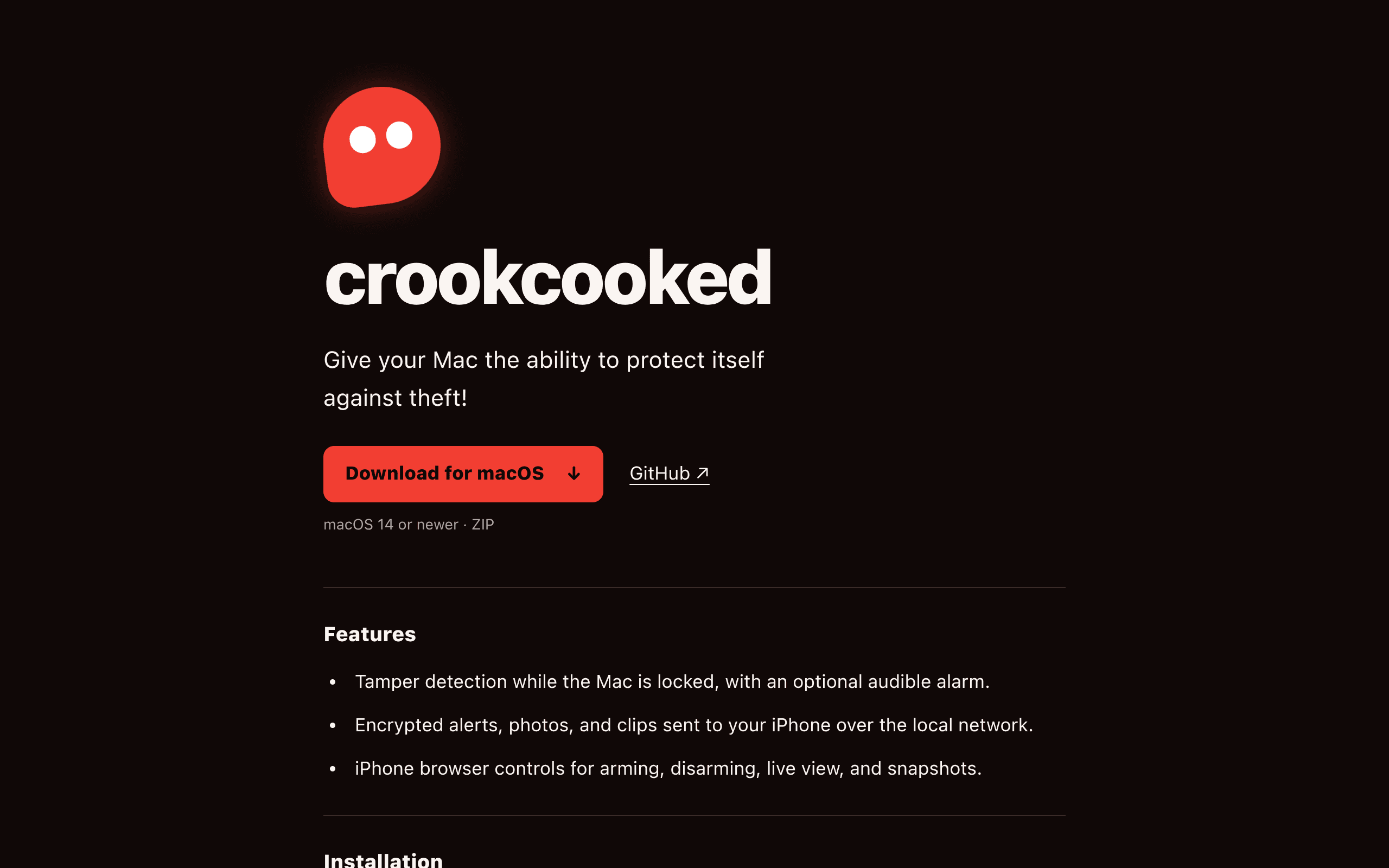
Crookcooked

Open-source Mac anti-theft alarm: arm and lock your Mac — if someone tampers with it, it screams, snaps photos, and alerts your iPhone.

Give your Mac the ability to protect itself against theftCrookcooked is an open-source anti-theft alarm for macOS. Arm it and the Mac locks; if someone messes with it, it screams, records them, and sends the clip plus a live view to your iPhone — encrypted, over the local network. Your iPhone browser becomes the remote control: arm, disarm, live view, and snapshots. Requires macOS 14+, installable from GitHub Releases. Open source, mostly vibe codedThe author launched it on Show HN in October 2026 with the note "Open source, mostly vibe coded" — and the README closes with the same line: "Mostly vibe coded. Use at your own risk." It's built natively in Swift 6+, MIT licensed, with a downloadable .app in Releases. Built from a real annoyanceThe author works from cafés and libraries and hated leaving a MacBook alone for bathroom breaks — so they built the fix. A small, honest, single-purpose utility: exactly the kind of project vibe coding is good at.

Showcase
Online
Security & Privacyclaude-code

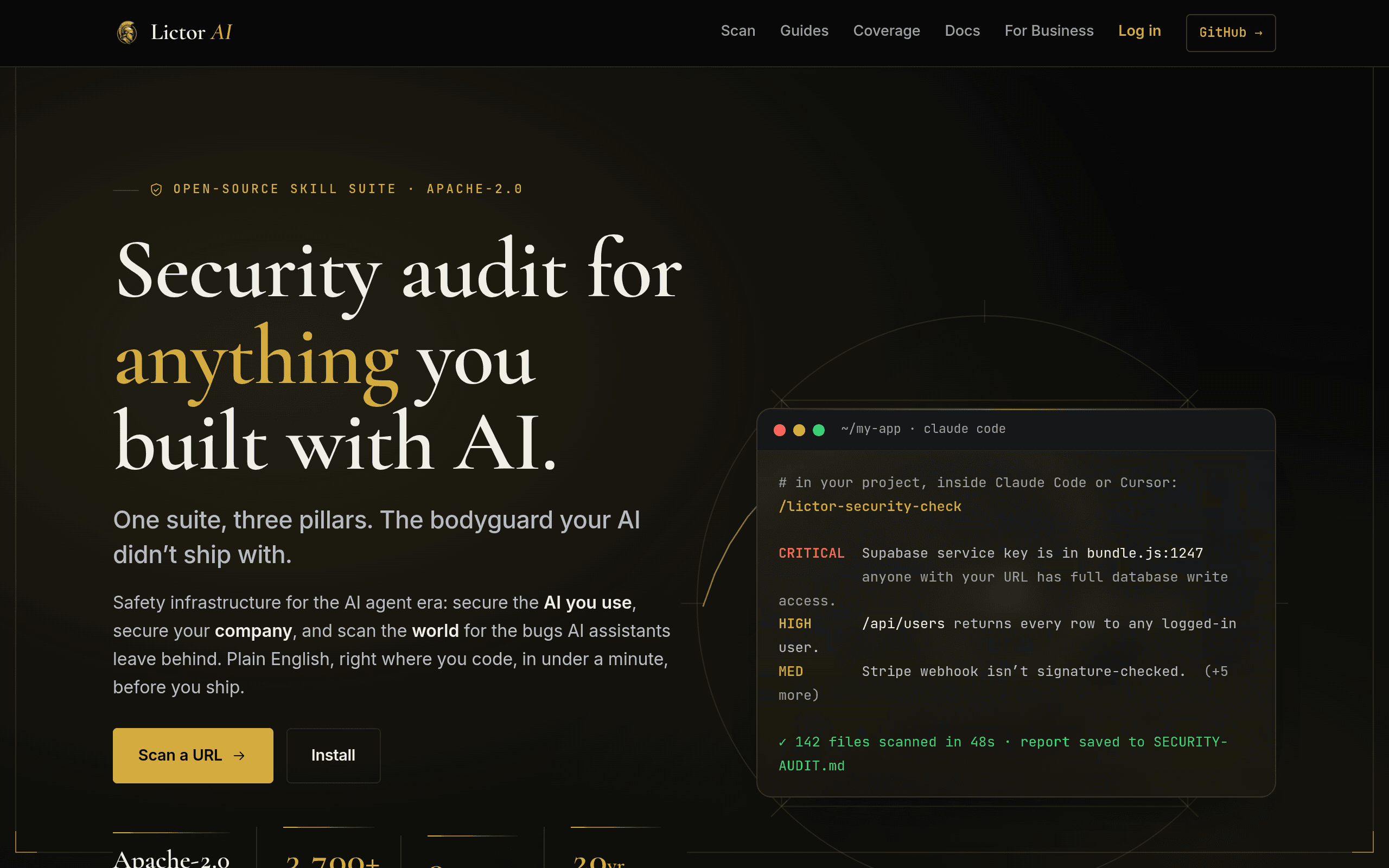
Lictor AI

A security audit crew for vibe-coded apps — 48 plain-English checks delivered as Claude Code skills

Lictor is the bodyguard vibe-coded apps didn't ship with. It's an open-source (Apache-2.0) skill suite that installs into Claude Code as a plugin and gives you four slash commands: /lictor-security-check runs a 48-check audit mapped to the OWASP Top 10 for Web, API, Mobile, and LLM apps plus the CWE Top 25; /lictor-explain translates any finding into plain English; /lictor-fix-it applies fixes with your approval; and /lictor-rotate walks a leaked key through rotation. Everything runs 100% locally — no token, no signup, no telemetry — and every check is a Markdown file you can read before it runs. The audit is performed by a crew of eleven named specialist agents — Wolf the orchestrator, Hawk the pattern scout hunting the bug shapes vibe-coders ship most (RLS gaps, env-var leaks, unsigned webhooks), Lyrebird the voice keeper rewriting findings as "your X does Y, anyone can do Z" — with a measured benchmark so the accuracy claims are verifiable. On top of the free suite, Lictor Patrol scans the public internet for AI-built apps leaking live keys (3,700+ critical and high-severity findings surfaced, none ever exploited, disclosed ethically), and a hosted business plan starts at $49/mo. The meta story: Lictor itself was "Built in 30 days by one person and an 11-agent crew," per its launch announcement — a 20-year security engineer who got tired of watching Lovable/Bolt/v0 apps leak Firebase keys on day one, paired with Claude. The GitHub repo (Raffa-jarrl/Lictor-AI, 18 stars) states it plainly in its README: "Built by a 20-year security engineer + Claude."

Showcase
Online
Security & Privacyclaude-code

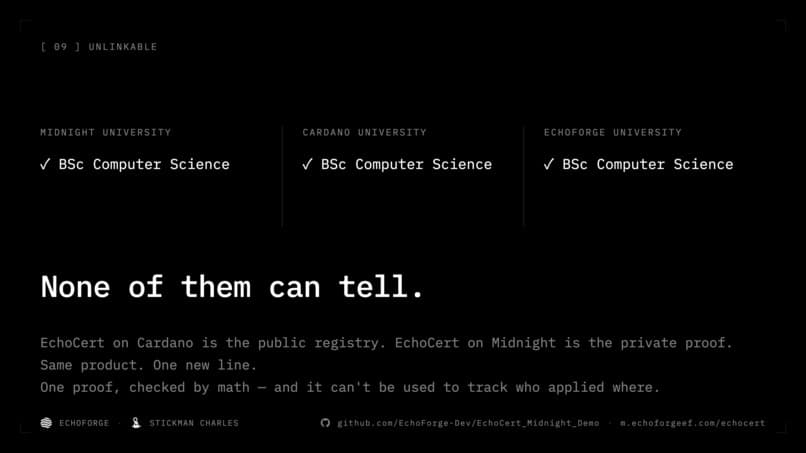
EchoCert Midnight

Zero-knowledge selective disclosure: prove one field of your diploma, reveal nothing else, leave nothing linkable behind

EchoCert on Midnight is a zero-knowledge selective disclosure demo: prove that one field of your diploma is real, reveal nothing else, and leave no trace that lets anyone link two proofs to the same holder. It was built for the MLH Midnight Hackathon (2026-08-28 → 30) as a privacy upgrade to EchoCert, a credential registry the author already had live on Cardano since April 2026. The demo tells it through two applicants, Chuck and Charles. Chuck has a real diploma; he clicks fields to redact them, and the university learns "the diploma is real, the degree is BSc Computer Science" — nothing more. He proves to three universities in three separate transactions that share nothing linkable. Charles has no diploma, so he forges one; his own device refuses to prove it in ~20 milliseconds, before anything is sent. Three properties, all demonstrated live: selective disclosure, local refusal of forgeries, and measured unlinkability. The honesty is the interesting part. The Devpost write-up documents a moment where the demo's claim ("three proofs share no identifier") turned out to be false on byte-diff: a 41-byte run was shared, turned out to be the Merkle root, and the claim survived narrower and backed by a repeatable experiment. The anchor is a real Cardano mainnet record minted on 2026-04-11 — the commitment in the demo points at it, and you can check. The author built it pair-programming with Claude Code and disclosed that in the repo. curated by the VibeFix editors